Proxmox
2 minute read
The Proxmox inventory captures a Proxmox environment via the Proxmox API – from a single host up to a complete cluster.
Requirements
The requirements are network access to a Proxmox node and a Proxmox account with read access to the environment to be captured; a read-only role is sufficient.
Procedure
The general procedure of the wizard – selecting a company and a domain – is described under Basic Steps.
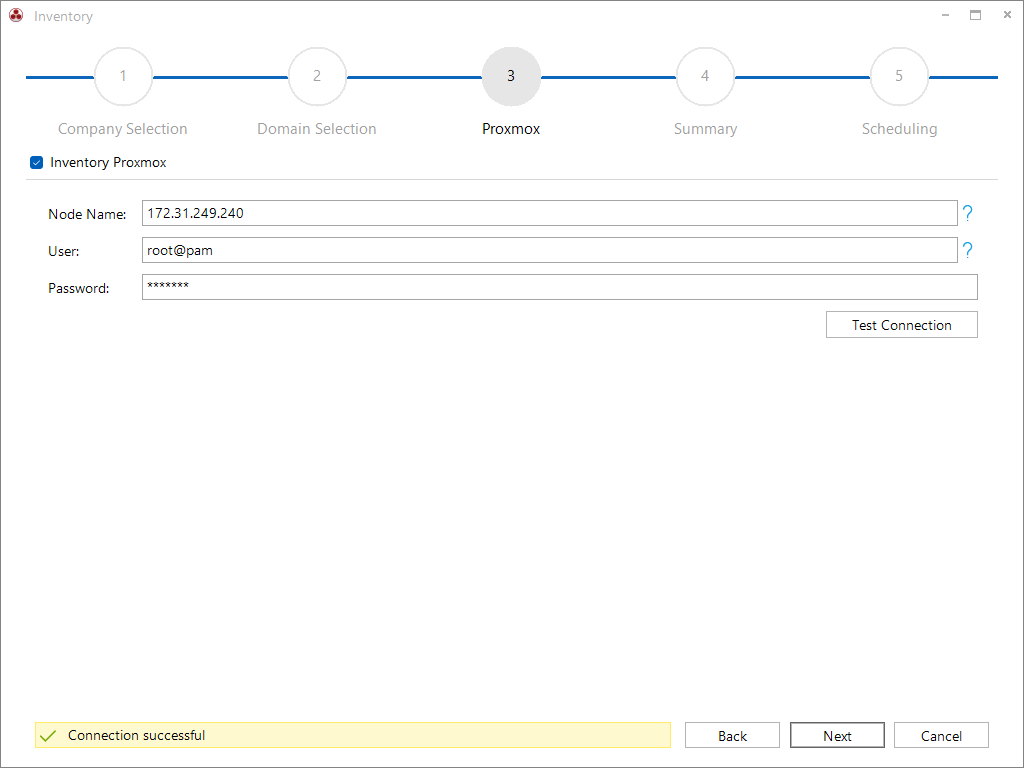
In the wizard, any Proxmox node is specified with a user (including the realm, e.g. root@pam) and password, and the connection can be verified. If the node belongs to a cluster, this single node is sufficient – Docusnap captures the entire cluster with all its nodes; a standalone host is documented on its own.
Scope
- Cluster – key data, version, configuration and runtime status of the cluster.
- Storage & Backup – storage definitions, backup jobs and their status as well as Ceph storage.
- Network & Firewall – cluster firewall with rule templates and software-defined networking (SDN).
- Availability – high availability (HA groups and status) and replication jobs.
- Permissions & Users – roles, permission assignments, users, groups and authentication sources.
- Additional Cluster Objects – resource pools, device mappings (PCI/USB/directory) and ACME certificates.
- Nodes – system/platform data, subscription, network/DNS/time configuration, certificates and hardware.
- Virtual Machines – hardware configuration, snapshots, firewall rules and guest system data (agent).
- Linux Containers – configuration, network and firewall rules.