Hyper-V
2 minute read
In Docusnap 15, the Hyper-V inventory was redeveloped on a PowerShell basis. The previous, WMI-based module remains in the product as Hyper-V Legacy for now; its reports now carry the prefix “Legacy”.
Legacy (WMI) and new (PowerShell) in comparison
| Area | Hyper-V Legacy WMI | Hyper-V PowerShell |
|---|---|---|
| Host security | basic | Secure Boot templates, enhanced session options |
| VM security | – | Secure Boot, TPM, encryption, shielded VMs |
| Network (host) | adapters, MAC | virtual switches in detail, SET/teaming, Fibre Channel |
| Storage (VM) | storage location | VHD type, checkpoints, actual storage usage |
| Integration services | limited | named services with status |
| Migration / replication | – | migration options, replication service |
Requirements
An account with administrator privileges on the Hyper-V host is required.
Procedure
The general procedure of the wizard – selecting a company and a domain as well as entering your credentials – is described under Basic Steps.
There are two ways to select the Hyper-V hosts to be inventoried.
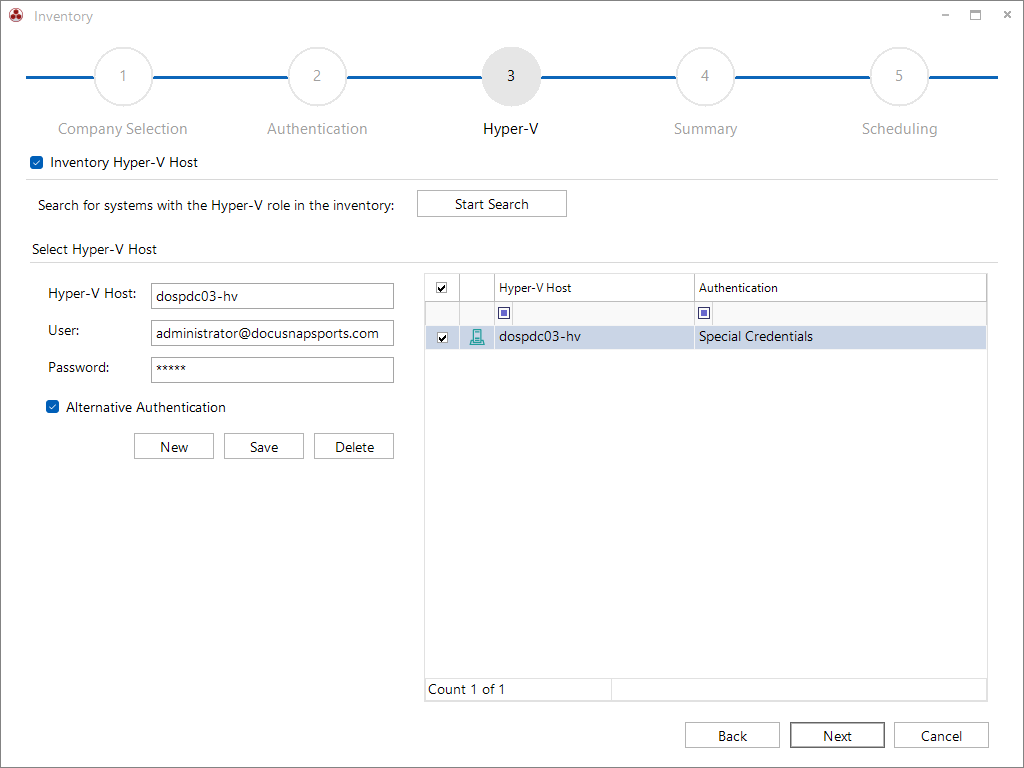
Entering the Hyper-V hosts manually – The Hyper-V hosts to be inventoried are entered manually and the credentials are stored for each host (domain or local user).
Searching hosts already captured by the Windows inventory – Start Search checks all Windows systems in the domain that have already been captured and suggests those with an active Hyper-V role and at least one guest system for inventory.
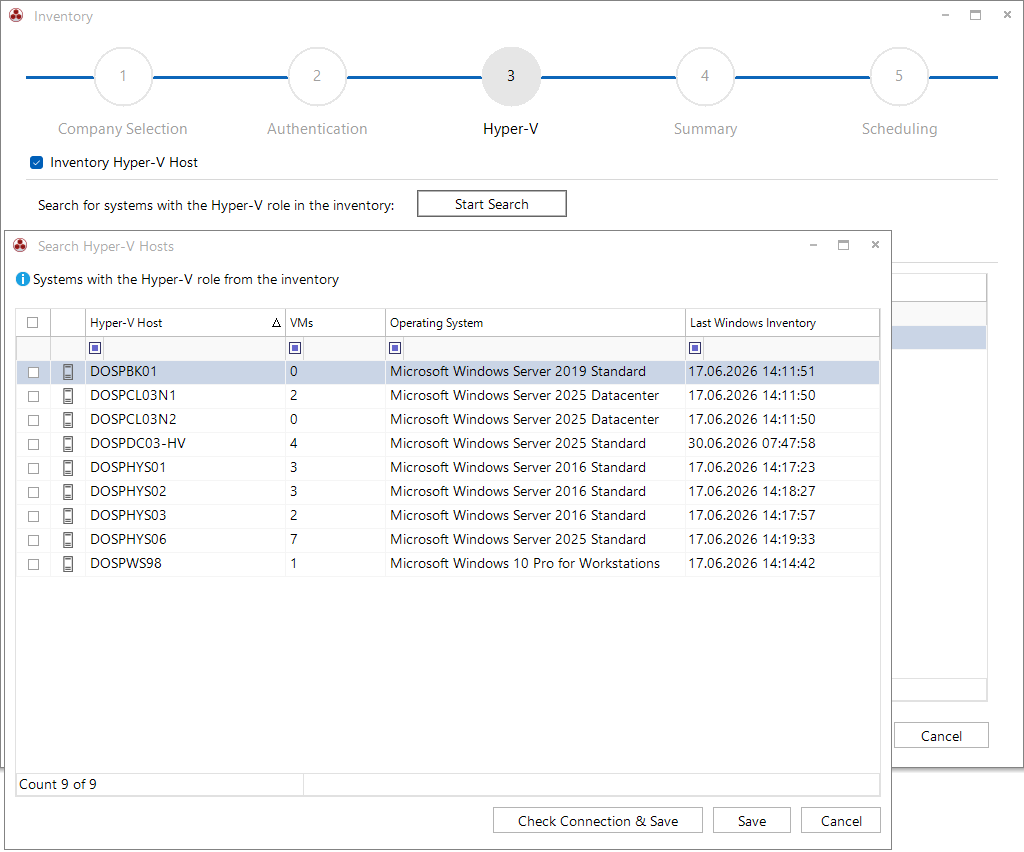
To fully capture a Hyper-V failover cluster, all cluster nodes must be selected.