Meraki
2 minute read
The Meraki inventory captures a Cisco Meraki organization centrally via the Meraki Dashboard API – without accessing the individual devices on site.
Requirements
An API key for the Meraki Dashboard API is required. It belongs to a dashboard administrator and inherits their permissions; organization-wide read access is sufficient. The Dashboard API is enabled by default in Meraki.
Procedure
The general procedure of the wizard – selecting a company and a domain – is described under Basic Steps.
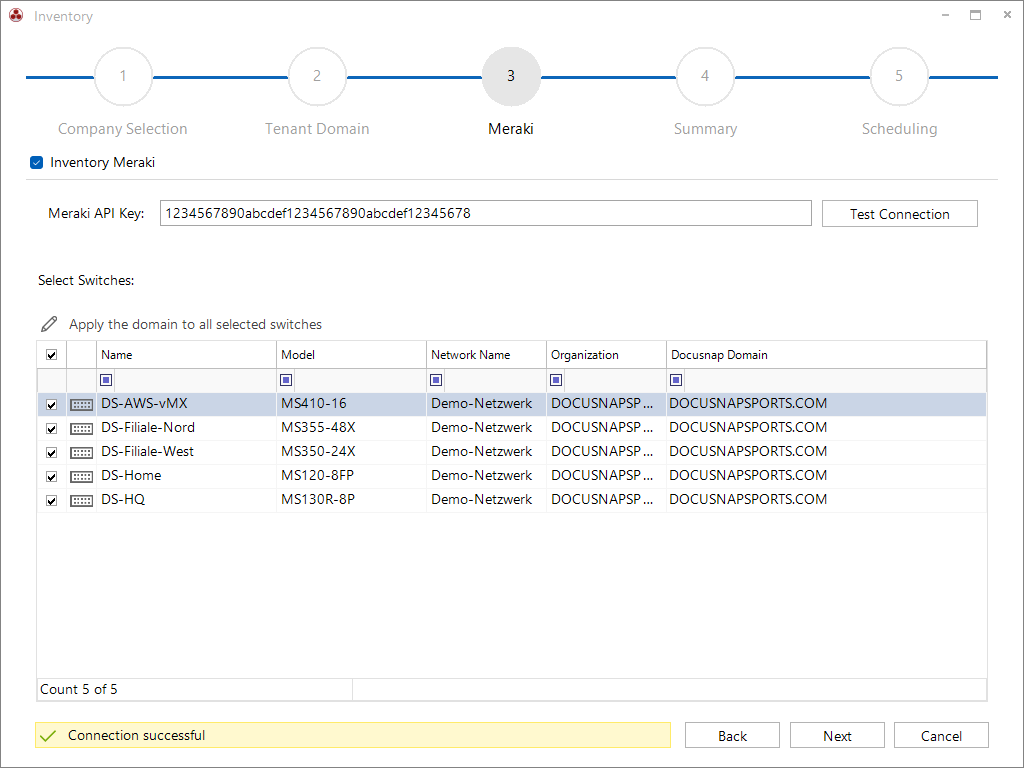
The API key is stored in the wizard; based on it, Docusnap inventories the entire organization. The connection can be verified before saving.
Scope
- Organization – key data, management settings, SNMP and API access of the Meraki organization.
- Administrators – org and network administrators with role, access scope and SSO roles.
- Security & Access – password policies, IP/access rules, RADIUS, policy objects and groups.
- Licensing – Co-Term and Subscription/PDL licensing models with overview, items and scope.
- Networks – networks by type with assigned devices, VLANs (incl. DNS and reserved IPs) and SSIDs.
- Group Policies – network group policies with content filtering (blocked URL categories/patterns).
- Devices – all devices with tags, details and network assignment.
- Switch Ports – port profiles (Smartports) and the port assignment per switch.
- Cellular Gateways – cellular gateways with profiles, plans, APN and IP configuration.